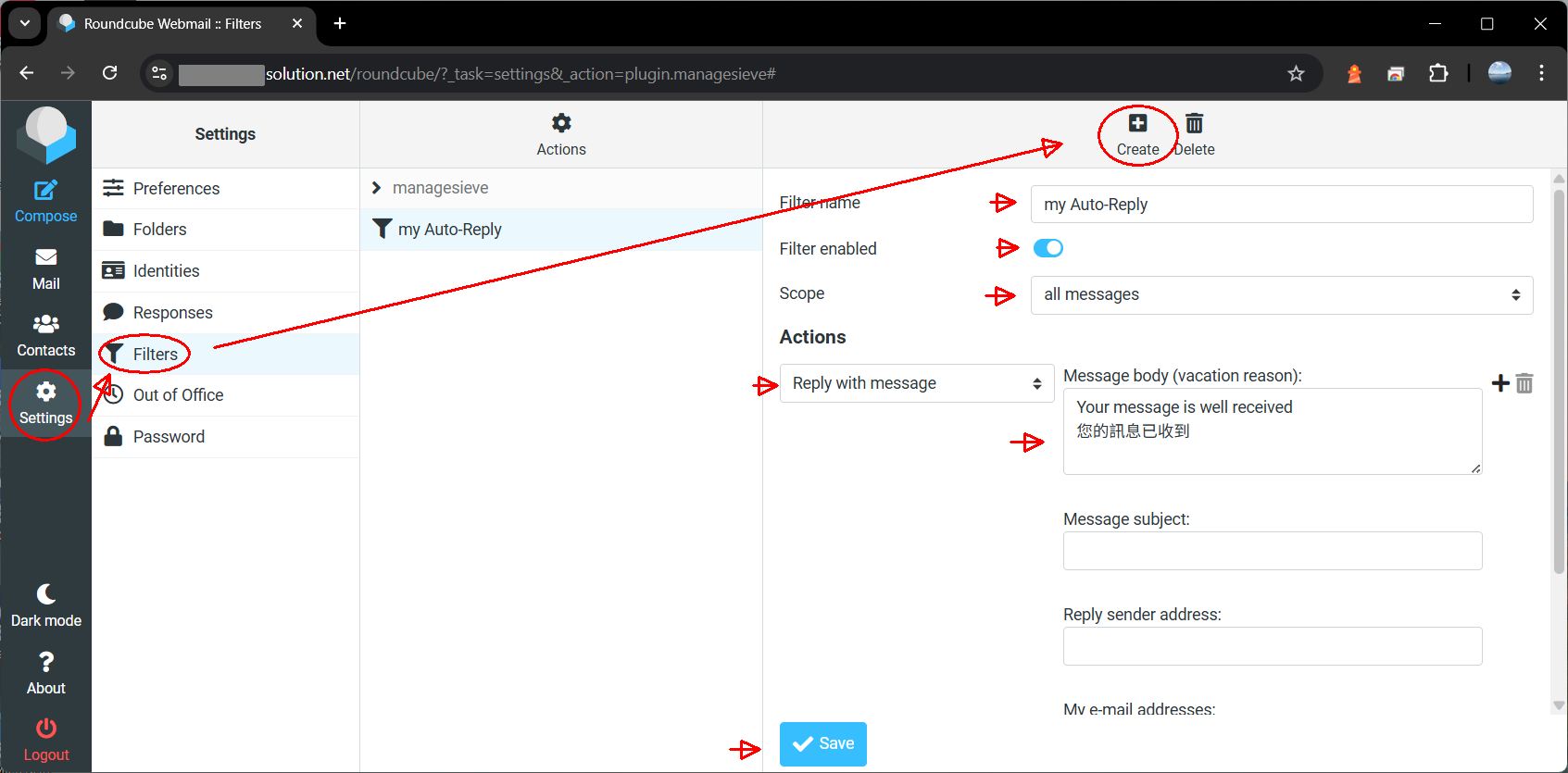
Login RoundCube Webmail > Settings > Filter > Create a new Filter , Input
- Filter Name = (e.g.) my Auto-Reply
- Filter Enabled = Yes
- Scope = for all messages
- Actions = “Reply with message” , and input your message body
Save. It shall be OK.

Login RoundCube Webmail > Settings > Filter > Create a new Filter , Input
Save. It shall be OK.
